
Transform Visual Studio Code & VS Code Insiders into a sovereign AI engineering command center. Unlock verified free & stealth models, <250ms Inline Ghost Text, 5-Phase Dual-Agent Marathon Auto-Drive with Git Time-Machine rollbacks, Point-and-Click Multi-Account Vault, Spec-Driven Development (SDD), and a 1-Click MCP Server Hub—with zero vendor lock-in and zero CLI setup required.
Every subsystem is hardened for professional developers who demand transparency, speed, and complete control over their models and codebase.
No Node.js, npm, or manual terminal setup required. On a fresh Windows, macOS, or Linux machine (x64, AVX2, ARM64, musl), OpenCode Fusion automatically streams and cryptographically verifies (SHA-512 SRI + SHA-1) the official standalone OpenCode binary—staging upstream releases side-by-side in immutable directories and hot-swapping between turns with zero downtime.
Native InlineCompletionItemProvider with 220ms keystroke debounce, Fill-in-the-Middle cursor slicing, workspace AST symbol injection, echo deduplication, and zero-429 quota awareness. Just press Tab.
Continuously discovers newly launched stealth models (glowing 48-hour neon indicator) and top Hugging Face free coding models—syncing VS Code's native Chat model picker in 1 click.
Audited top-to-bottom in v0.9.52: strict Webview Content-Security-Policy, session-owned tool permission boundaries (foreign TUI/CLI sessions are never hijacked), read-only background completion/audit sandboxes (mutating tools disabled), and non-destructive Git shadow snapshots that strictly protect .gitignored .env secrets and local databases.
True 1:1 linear emerald-cyan fuel gauges, real rolling 24h SQLite quota ledgers, and live velocity telemetry built right into your VS Code sidebar.
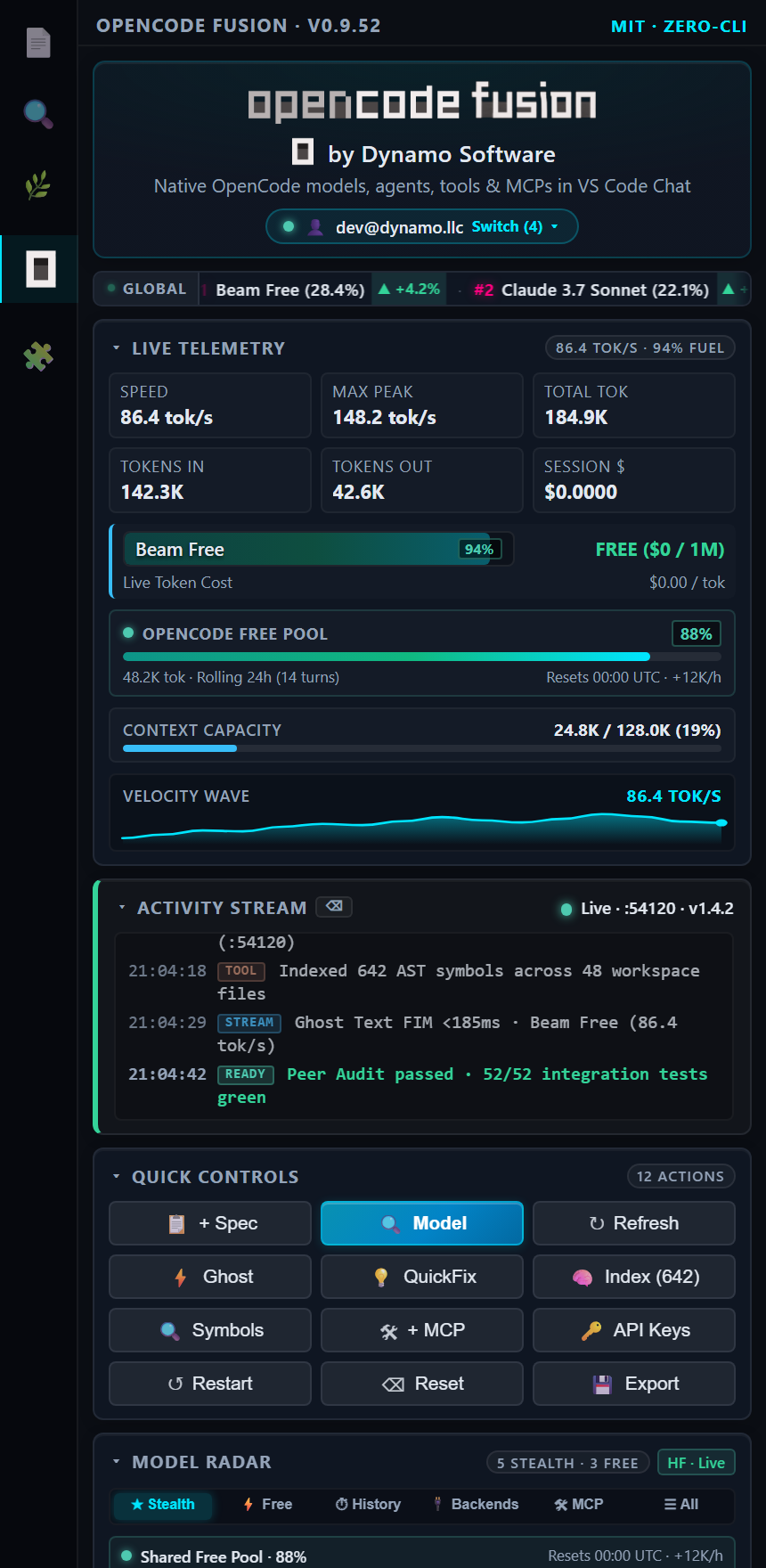
OpenCode Free Pool & Linear Fuel CellsComputes rolling 24-hour and 5-hour burst token consumption directly from OpenCode's local SQLite ledger (opencode.db) and daemon logs (<0.5ms tail). Displays real remaining capacity across both the shared free pool and each model's own 24h tank, complete with exact 00:00 UTC & rolling unlock ETAs synced atomically across all open VS Code windows.
tok/s) & Single-Turn Context MeterReal-time cubic-bezier SVG velocity sparkline tracking live token throughput, peak bursts, directional Tokens In / Out, weighted prompt-cache telemetry, accurate single-turn context window footprint, and 1-click JSON/CSV cost exports.
Clicking any free, stealth, or BYOK model in the Radar immediately jumps VS Code's built-in lower-right Chat model selector across both standard VS Code Chat and AgentHost Copilot—zero manual dropdown hunting.
12 instant sidebar actions (+ Spec, Model, Refresh, Ghost, QuickFix, Index, Symbols, + MCP, API Keys, Restart, Reset, Export) plus an automated Windows Workspace Path Doctor that repairs trailing-space folder bugs (os error 2) in 1 click.
Write a Master Prompt—or execute an SDD Blueprint—and let a 4-role Specialist Pit Crew architect, build, adversarially peer-audit, runtime-playtest, and checkpoint your project across hours or days.
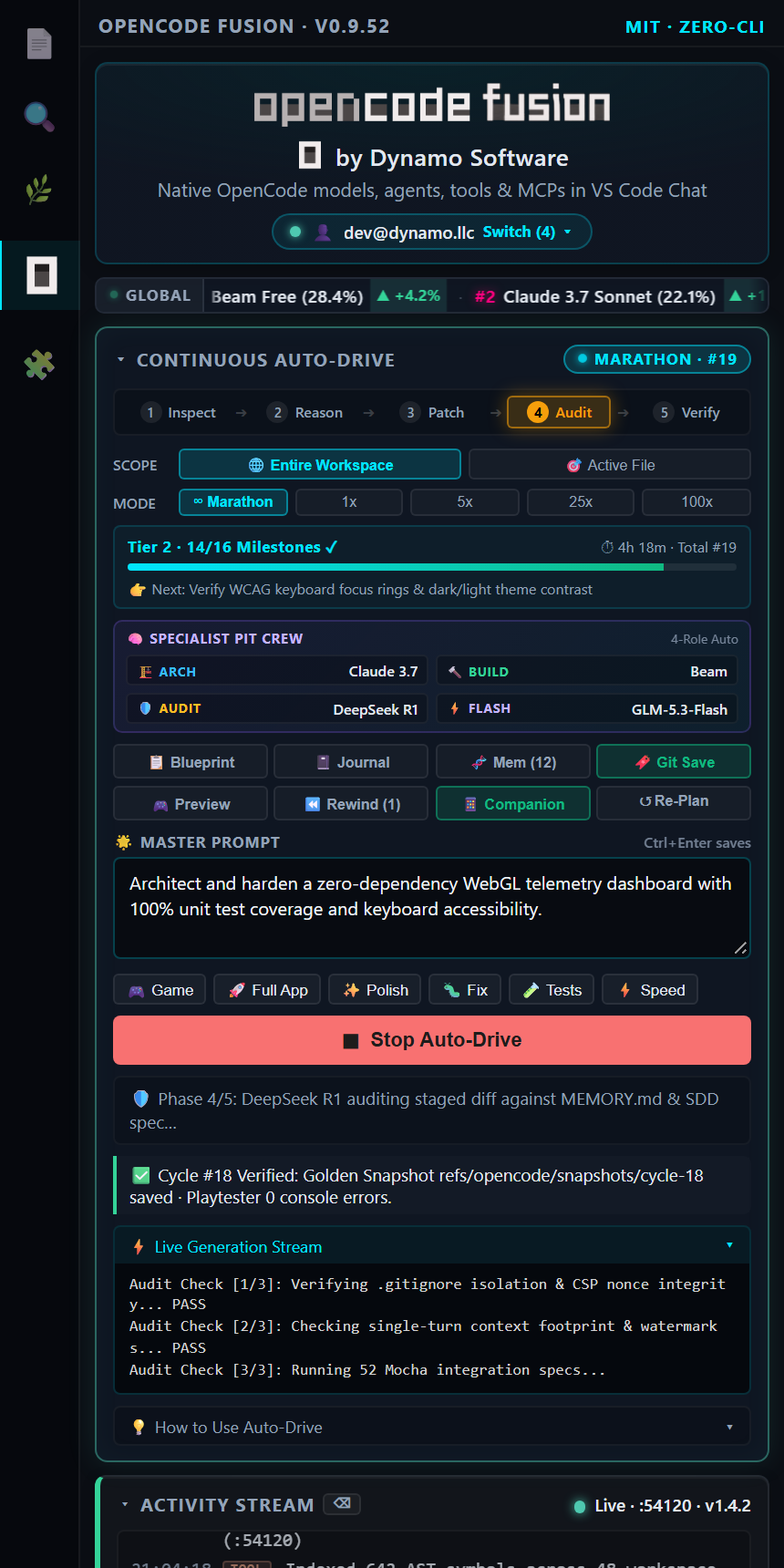
Automatically assigns the strongest available models to 4 distinct engineering roles: 🏗️ Architect (blueprints & Quality Tier elevation), 🔨 Builder (code implementation), 🛡️ Cross-Family Auditor (independent adversarial diff review), and ⚡ Flash (<250ms Ghost Text & QuickFix).
Captures zero-clutter Git shadow snapshots (refs/opencode/snapshots/*) on every verified cycle—even on unborn-HEAD repos and without ever deleting .gitignored secrets. If 3 consecutive cycles fail verification, Time-Machine automatically rewinds to the last Golden Snapshot and logs the failure in MEMORY.md so the mistake never repeats.
Closes the "blind agent" gap: Phase 5 boots web apps and HTML5 games inside headless Chromium/Edge to catch broken asset 404s and uncaught ReferenceError / TypeError crashes—paired with a 1-click docked 🎮 Live Playtest Preview pane that auto-reloads on every clean milestone.
Tracks milestones in .opencode/autodrive/MASTER_BLUEPRINT.md and JOURNAL.md. When all Tier 1 milestones reach [x], Auto-Drive elevates to Tier 2, Tier 3, and beyond to deepen polish, edge-case hardening, accessibility, and test suites.
Manage multiple OpenCode Console OAuth accounts, encrypted API key profiles, and 120+ BYOK/local providers right from the sidebar—and steer marathons remotely from your phone.
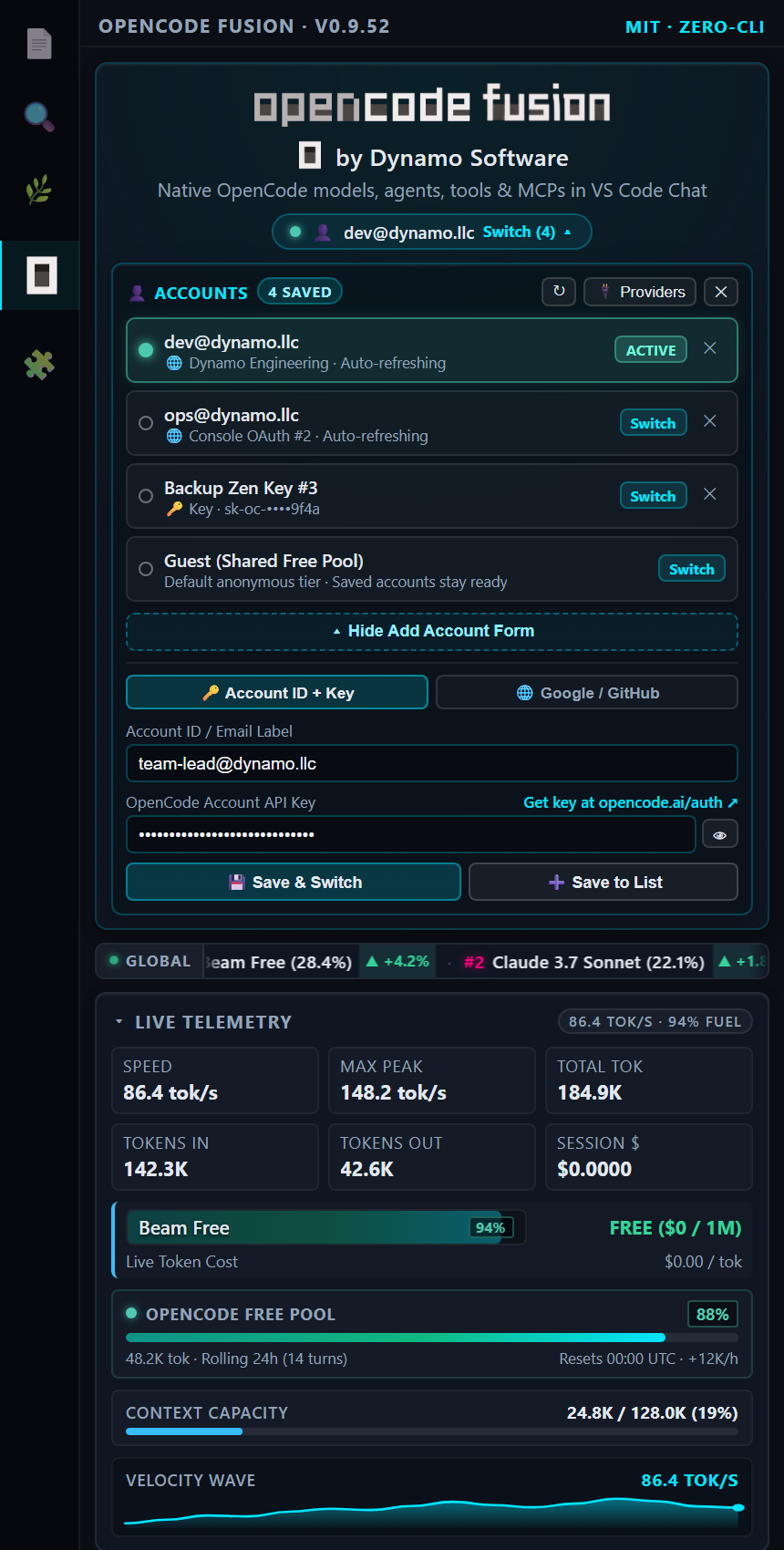
Press A or click 👤 Account · Switch ▾ to swap between unlimited OpenCode Console OAuth accounts, named API key profiles (encrypted in your OS Keychain via VS Code SecretStorage), or the anonymous Guest Free Pool. Triggers POST /global/dispose to hot-reload credentials immediately with zero daemon restart.
A ➔ B ➔ A Fidelity)Tracks independent quota watermarks per account identity. Rotating from an exhausted Account A (0%) to a fresh Account B (100%) unlocks full velocity immediately—and rotating back to Account A faithfully restores its true remaining quota state.
Native RFC 8628 headless OAuth with zero terminal popups. Linking a 2nd or 3rd Google/GitHub account? Click 📋 Copy Login Link (For Incognito) to paste the one-time verification URL into a private browser window without disturbing your primary browser session—plus 1-click OAuth for ChatGPT Plus/Pro, GitHub Copilot, OpenCode Zen, and xAI.
Running a 25-cycle refactor or an overnight application build? Pair your iOS or Android phone in 2 seconds over local Wi-Fi using OpenCode Fusion's zero-dependency ISO/IEC 18004 QR encoder—no cloud accounts, tunnels, or external servers involved.
X-OpenCode-Token timing-safe verification.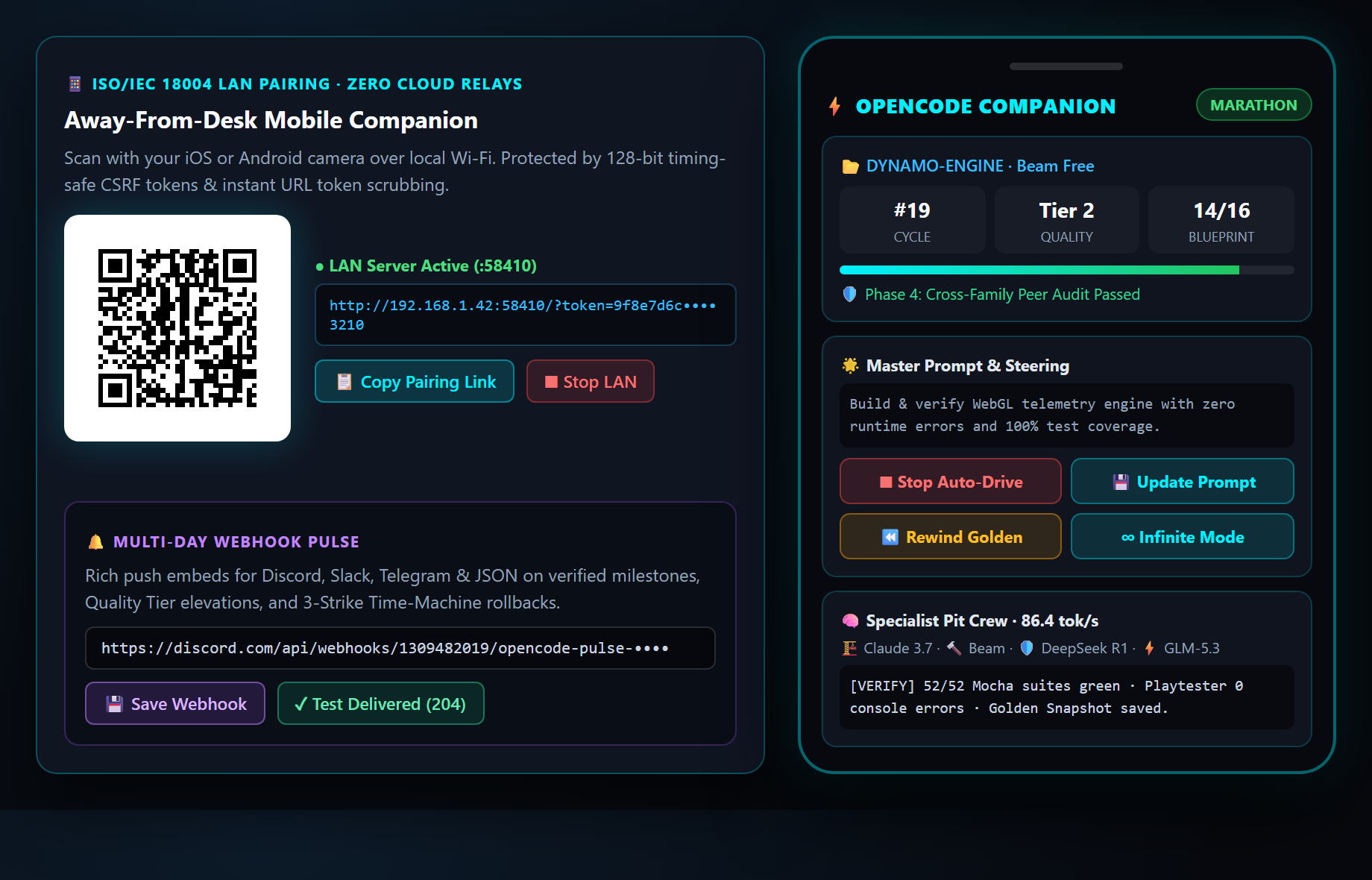
Ground every agent turn in real repository architecture, standardized Markdown engineering specs, and production MCP tool servers.
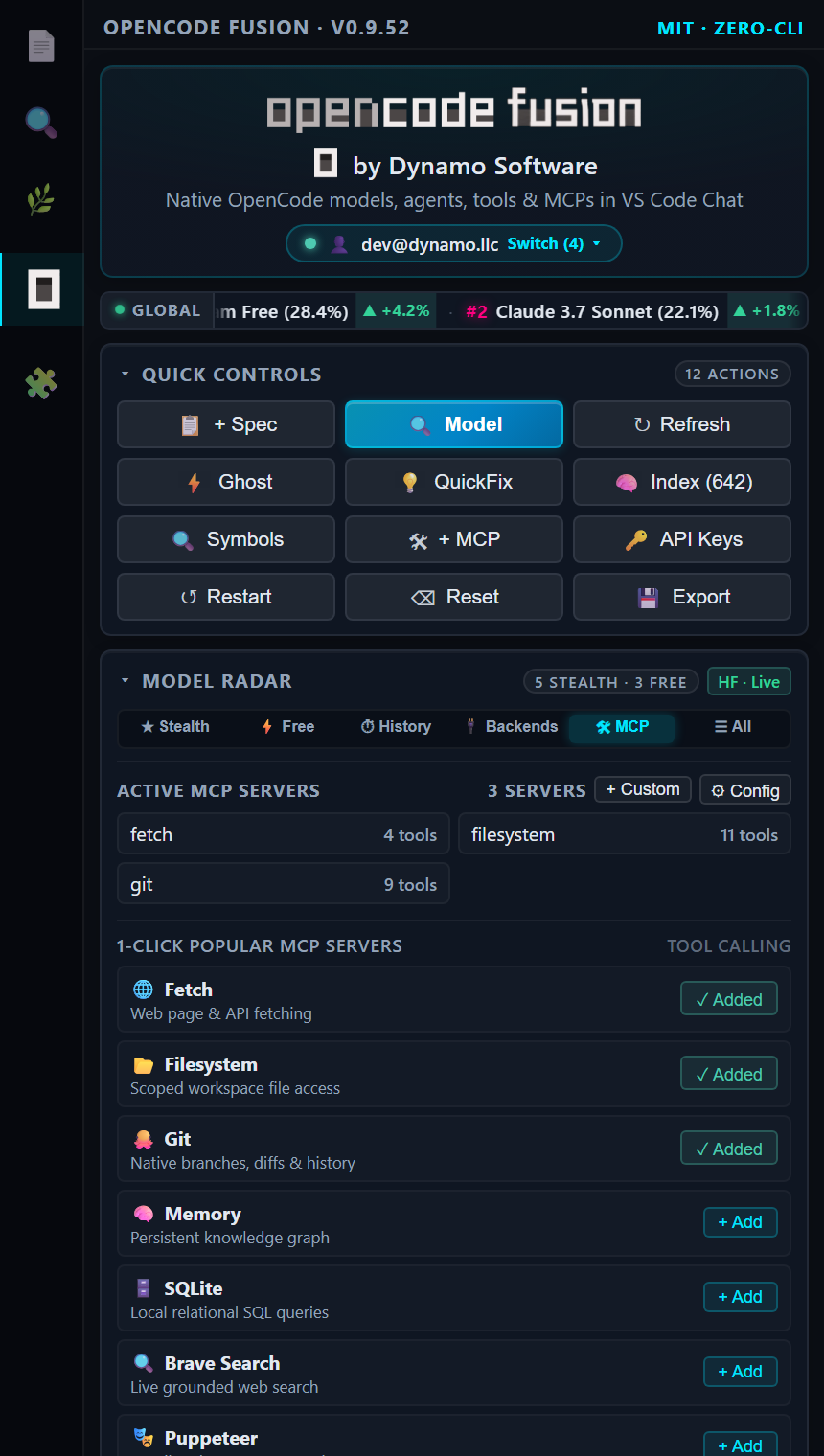
Click 📋 + Spec to generate structured engineering blueprints in .opencode/specs/SPEC-*.md pre-loaded with affected workspace AST symbols and interactive - [ ] checklists—then execute them directly with OpenCode: Execute Spec with Continuous Auto-Drive.
Automatically indexes classes, interfaces, functions, and structs across TypeScript, JavaScript, Python, Go, Rust, Java, Kotlin, C/C++, and C# for zero-hallucination architectural RAG—plus native Ctrl+. "Fix with OpenCode" lightbulb actions on any compiler or linter diagnostic.
opencode.json Atomic MCP Config (Hot-Reloaded){
// Written atomically & hot-reloaded with zero daemon restart
"$schema": "https://opencode.ai/config.json",
"mcp": {
"filesystem": {
"type": "local",
"command": ["npx", "-y", "@modelcontextprotocol/server-filesystem", "."],
"enabled": true
},
"git": {
"type": "local",
"command": ["uvx", "mcp-server-git"],
"enabled": true
}
}
}
Registered natively under contributes.languageModelTools so GitHub Copilot, AgentHost, and custom agents can invoke OpenCode autonomously.
| Tool Identifier | Capability | Autonomous Agent Purpose |
|---|---|---|
opencode_generate_spec |
SDD Blueprint Generator | Generates structured Markdown engineering specs with target files, AST symbol dependencies, and verification checklists. |
opencode_autodrive |
Continuous Auto-Drive Controller | Starts, stops, or queries 5-phase autonomous improvement sprints and multi-day marathon progress programmatically. |
opencode_get_radar |
Live Stealth & Free Radar | Queries real-time intelligence on newly discovered stealth models, top free models, context windows, and fuel cell health. |
opencode_get_status |
Telemetry & Parity Probe | Returns daemon port, managed CLI semver parity, live tok/s velocity, collective pool quota, and connected backends. |
opencode_select_model |
Cross-Session Model Router | Hot-switches the active LLM across VS Code Chat, Inline Ghost Text, and Continuous Auto-Drive. |
opencode_search_symbols |
Fuzzy Workspace AST Search | Searches indexed classes, interfaces, types, functions, and structs with exact file paths, line numbers, and signatures. |
opencode_get_architecture |
Repository Architecture Map | Returns high-density module summaries, primary exports, and symbol density maps for zero-hallucination context. |
Authentic 2x Retina captures rendered directly from the OpenCode Fusion v0.9.52 runtime.
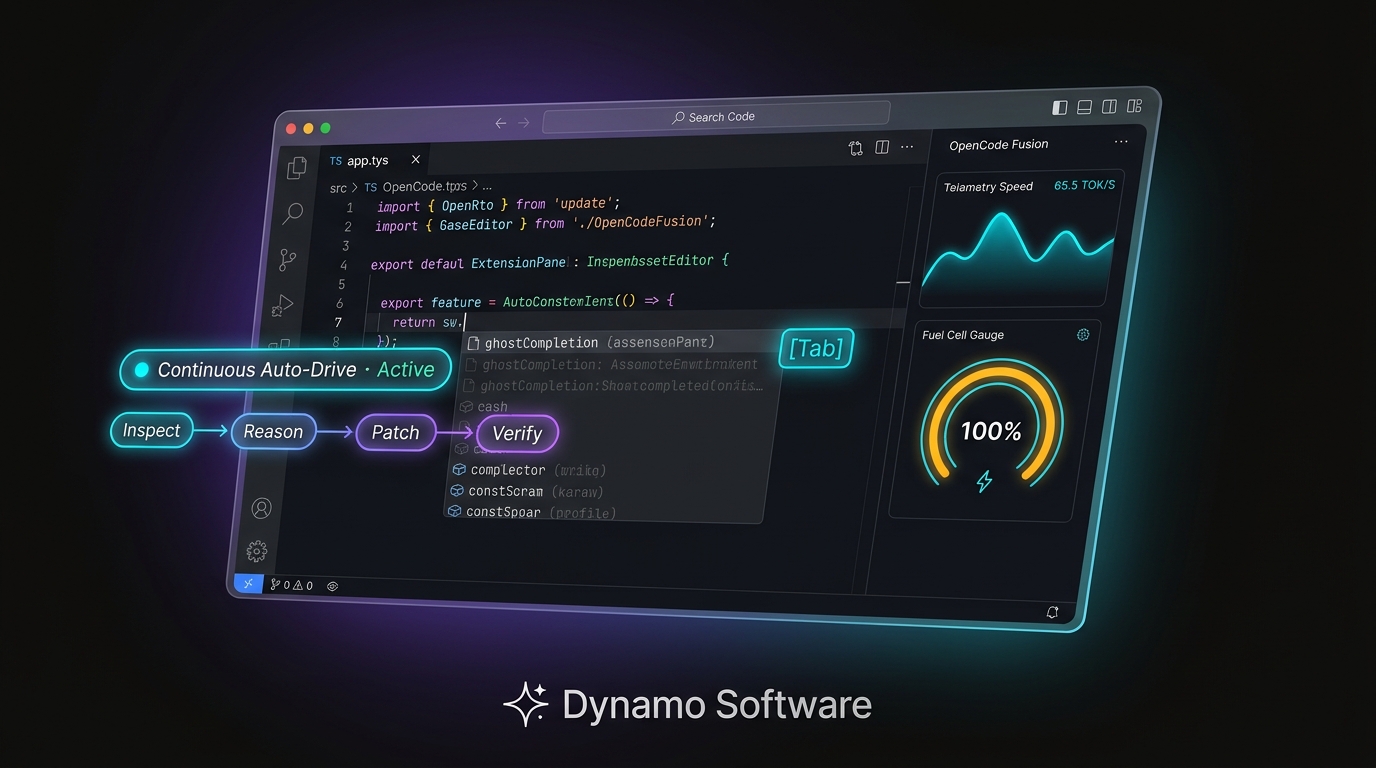
Inline Ghost Text (Tab), 5-phase autonomous Auto-Drive, live tok/s telemetry, and native VS Code Chat integration.
Rolling 24h SQLite pool fuel ledger, linear emerald-cyan fuel cells, SVG velocity wave, and 4×3 Quick Controls.
Dual-agent adversarial peer audit, 4-role Specialist Pit Crew routing, Living Blueprint, and 3-Strike Git Time-Machine.
1-click Console OAuth & API Key profile switching with per-account quota watermarks and Incognito login links.
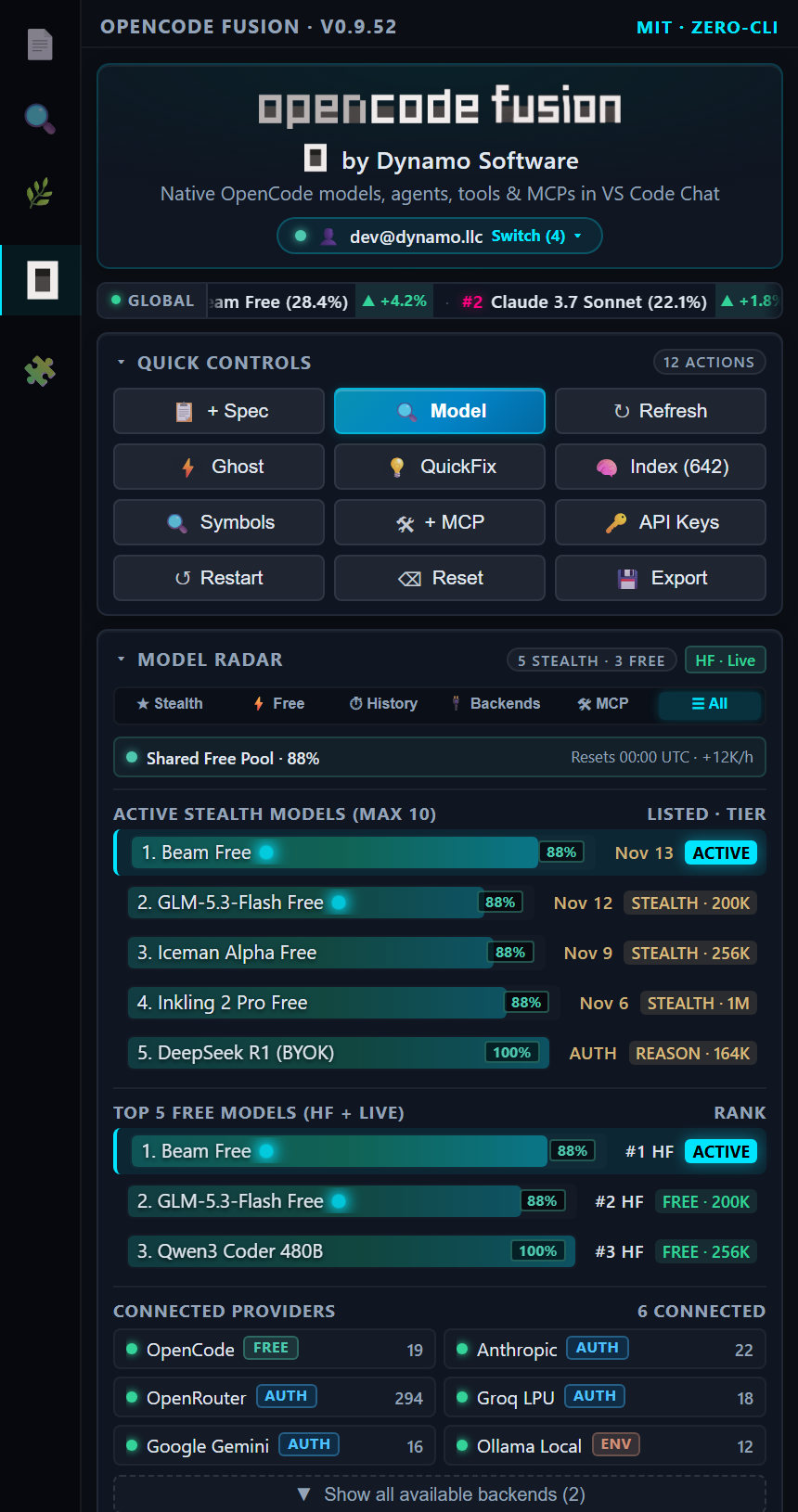
48-hour neon stealth indicators, ranked free models, 1-click VS Code Chat picker sync, and 120+ BYOK/local backends.
Instant installation and live hot-reload for 7 production MCP tool servers plus custom stdio & remote SSE endpoints.
Scan the ISO QR code over local Wi-Fi to monitor, steer, or rewind Auto-Drive marathons from your phone anywhere at home or the office.
Go from zero to native AI chat, Ghost Text completions, and autonomous Auto-Drive in under 60 seconds.
Install in 1 click from the VS Code Marketplace (DynamoSoftware.opencode-fusion) or download opencode-fusion-0.9.52.vsix below and run code --install-extension opencode-fusion-0.9.52.vsix.
Open VS Code—no Node.js or CLI install needed! If opencode isn't already on your system, OpenCode Fusion automatically provisions and SHA-512-verifies the official standalone binary.
Click any verified free or stealth model in Model Radar (like Beam Free or GLM-5.3-Flash Free) to sync VS Code Chat (Ctrl+Alt+I), or link Console OAuth / BYOK / Ollama keys in the Account Vault.
Press Tab to accept real-time inline Ghost Text suggestions, hit Ctrl+. for QuickFix diagnostic repairs, or launch Continuous Auto-Drive to build and verify milestones autonomously.
